


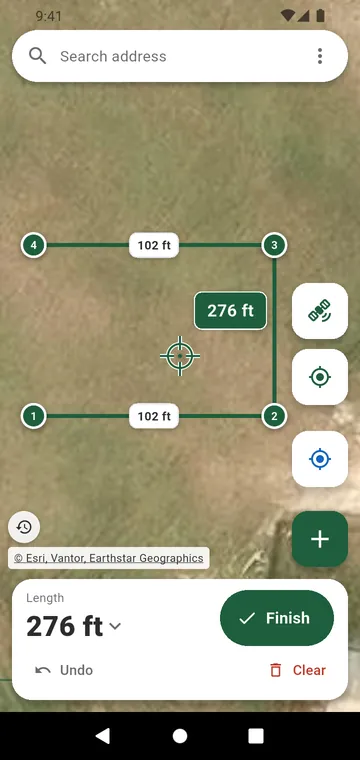
Draw it on the map
Search the address, then tap the map at each corner of the line, or put the crosshair on it and tap +. The map can show plan, satellite, hybrid or terrain. Drag a corner under a magnifier, set a side to an exact length, or stand still on a corner and let the app average your position. The total length is shown in large type.
Walk it
Press Start at the first post and walk along the line. Tap Gate here as you pass each opening. Recording goes on with the screen locked, and you can drop a marker with a photo at a gate or a stake. On a sloping field with GPS altitude, the plan can count lengths along the ground. Finish asks for the fence's name and customer.
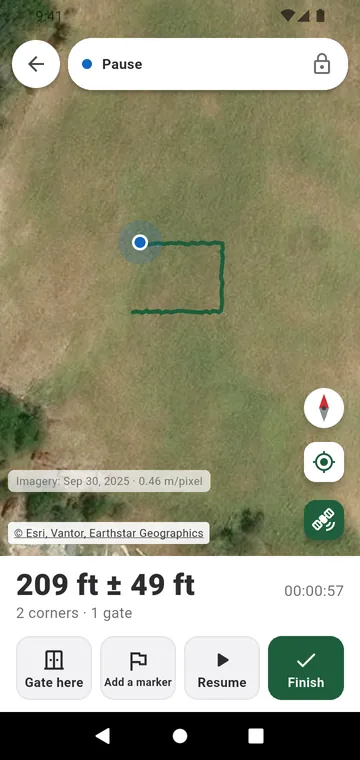
Check the accuracy
A phone GPS is good to a few meters, and every walked length shows its ± margin. For a short run, drawing on the satellite image is more precise. To check a drawing, draw something whose length you know and use Compare to a known length.