
Fence calculator: posts, concrete, cost and quote
Walk the fence line with your phone or draw it on the satellite map. Fence Calc places every post, counts what you have to buy and turns it into a PDF quote for your customer.

 Scan with your phone to install
Free on Android · No account · No subscription
How it works
- 1
Measure the line
Walk it with your phone, or tap its corners on the satellite map.
- 2
Get the list
Posts, concrete, panels, wire and hardware, counted for your fence type.
- 3
Send the quote
Enter your prices. Share a PDF quote with your details and a number.
Fence Calc in 20 seconds
 Play the video · 22 s
The video plays on YouTube. Nothing loads from YouTube until you press play.
Fence Calc is an Android app for building a fence, from the first measurement to the last post. A fence line is the path the fence follows on the ground: its length, its corners and its gates decide how many posts, panels and bags of concrete you need.
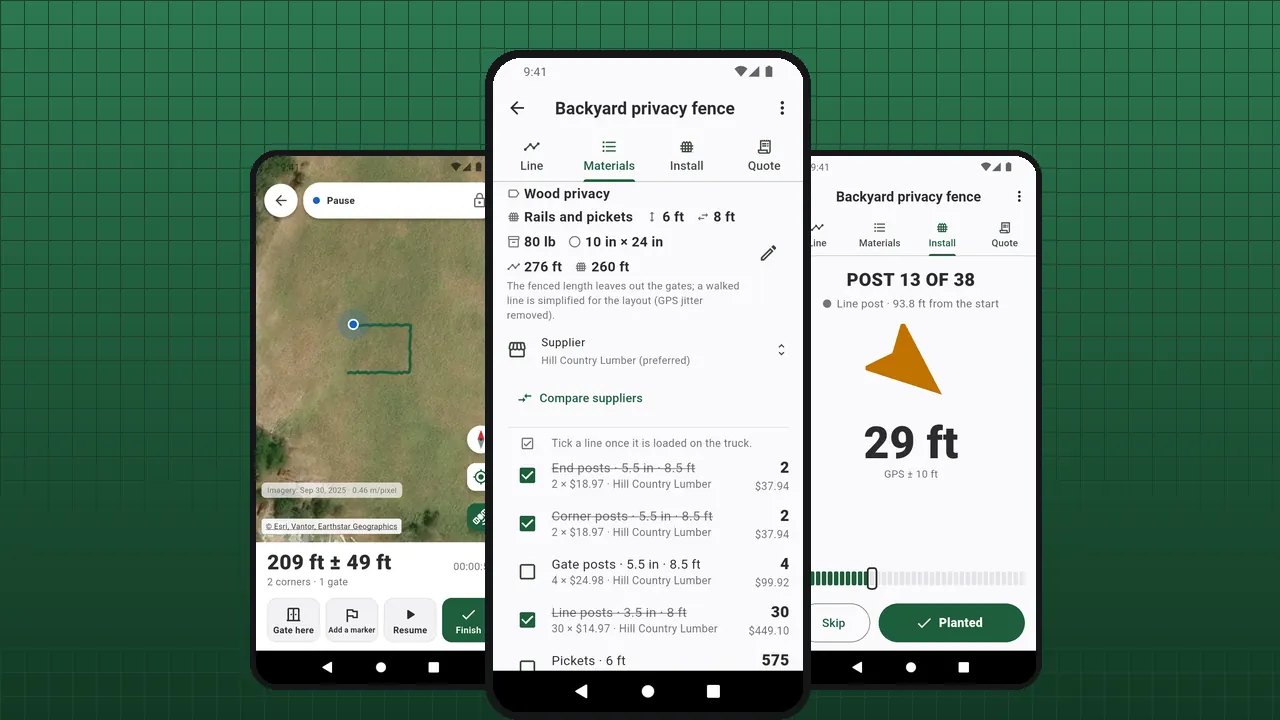
Measure the line on site by walking it, or from the office by tapping its corners on the satellite map. Choose the fence type. The app places the end, corner, gate and line posts, works out the concrete hole by hole, and lists the panels, rails, pickets, wire and hardware. Enter your prices once: it adds labor, extra items and tax, and makes a quote ready to send.
- A full material list — posts by type, panels or rails and pickets, mesh and wire, concrete bags, hardware. Fence calculator
- Posts and concrete — corners read from the line, gates placed along it, concrete per hole. Posts and concrete
- Cost and quote — your prices, labor, tax, a numbered PDF quote with your details. PDF quote
- Set out the posts — on site, the app takes you from one post to the next. Set out the posts
There is no account and no subscription. Your fences, quotes and prices stay on your phone. A banner pays for the app, and one purchase removes the ads.
Everything to price and build a fence
Fence calculator
From the measured line to the order list: every post, panel, rail, picket, roll and bag, counted and ready to price.
Posts and concrete
Every post where it belongs, and the concrete for each hole.
Fence types
Pick the kind of fence: the plan fills in the usual spacing, holes and infill. Every value stays yours to change.
Cost estimate
Your prices, your labor rate, your tax. Fence Calc does the arithmetic and never invents a price.
PDF quote
A PDF your customer can read: the fence, what it takes, what it costs, from whom.
Suppliers
Your yards and their prices, taken into every fence you quote.
Measure the line
On site, walk it. From the office, draw it. Either way, the line becomes posts and materials.
Set out the posts
The next post to set, with an arrow and the distance to walk. Tap Planted, and on to the next.
Privacy
No account, no server of ours. Here is everything the app sends over the network.
Why Fence Calc
- Free: every feature
- No account, no subscription
- A PDF quote for your customer
- Feet and inches, or meters
- 43 languages
- Android 8.0 and later
See it in the app
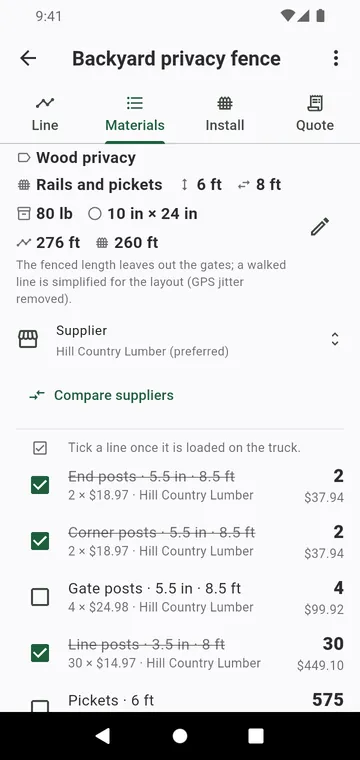
The material list: posts by type, panels, concrete bags, priced
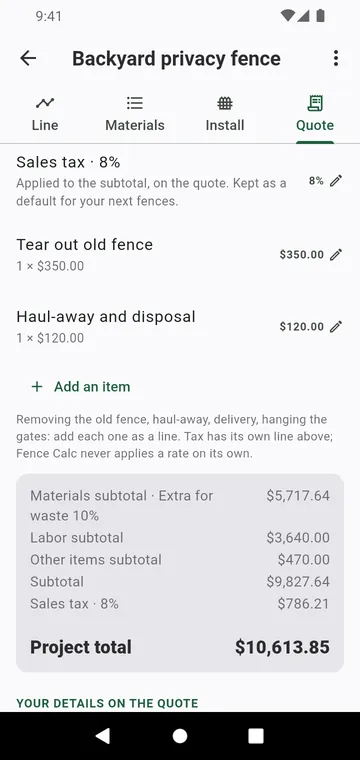
The quote step: labor, other items, tax and the project total
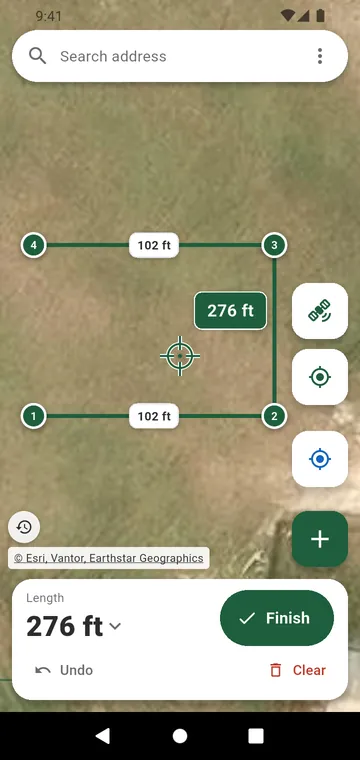
A fence line drawn on the satellite map, with its length
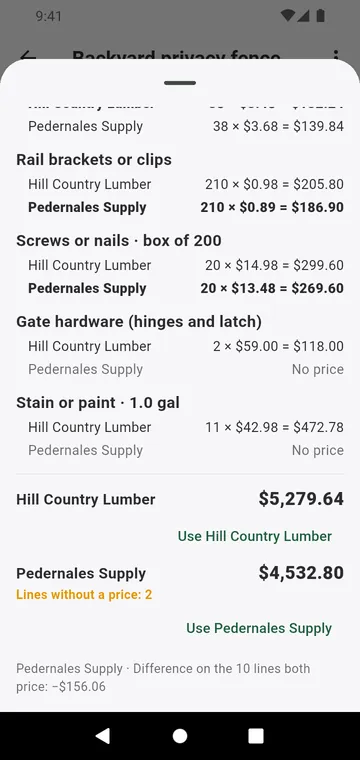
Two suppliers compared line by line
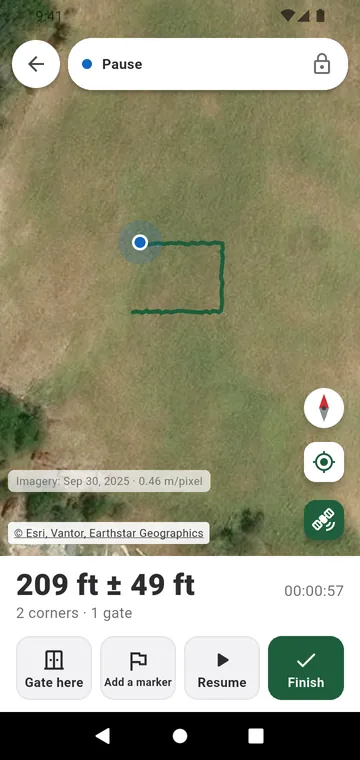
Walking the fence line by GPS, with gates on the way
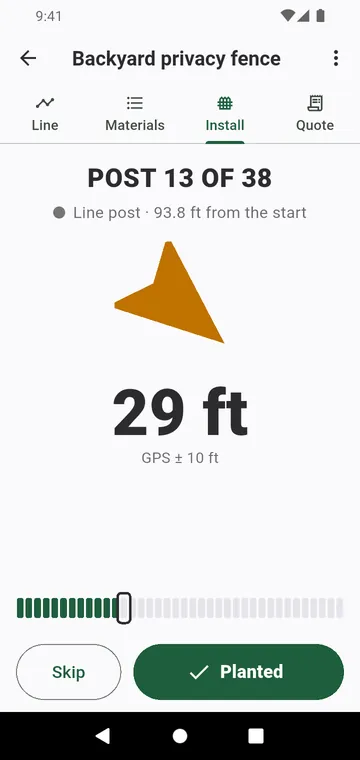
Installing: the next post to set, with an arrow and the distance
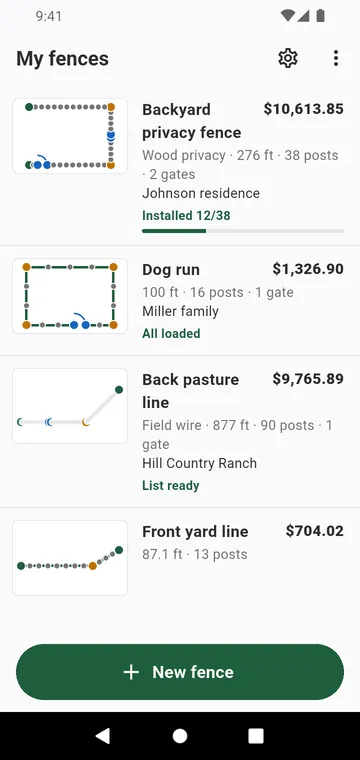
My fences: each fence with its drawing and its total
Guides
How many fence posts
Count the runs, divide by the spacing, round up, add the corners and gates. Here is the method, with two worked examples.
Concrete per fence post
The hole, minus the post, divided by what one bag yields. Here is the calculation, then how many bags to buy.
Estimate fence cost
A fence costs its materials, the labor to put them up, a few extras and the tax. Here is how to add them up without forgetting anything.
Write a fence quote
A clear quote wins the job and avoids arguments later. Here is what to put in it, in order.
Measure a fence line
The length decides the posts, the materials and the price. Here are three ways to measure it, and what to mark on the way.
Your next fence quote, in minutes
Measure the line, get the list, send the PDF. No subscription.